

The plant and equipment register that keeps every asset compliant.
Health and safety asset management software for your plant, equipment, vehicles and tools. Link hazards, incidents and tasks to each asset, get reminded before key dates slip, and put a scannable QR code on everything — all within one connected safety platform.
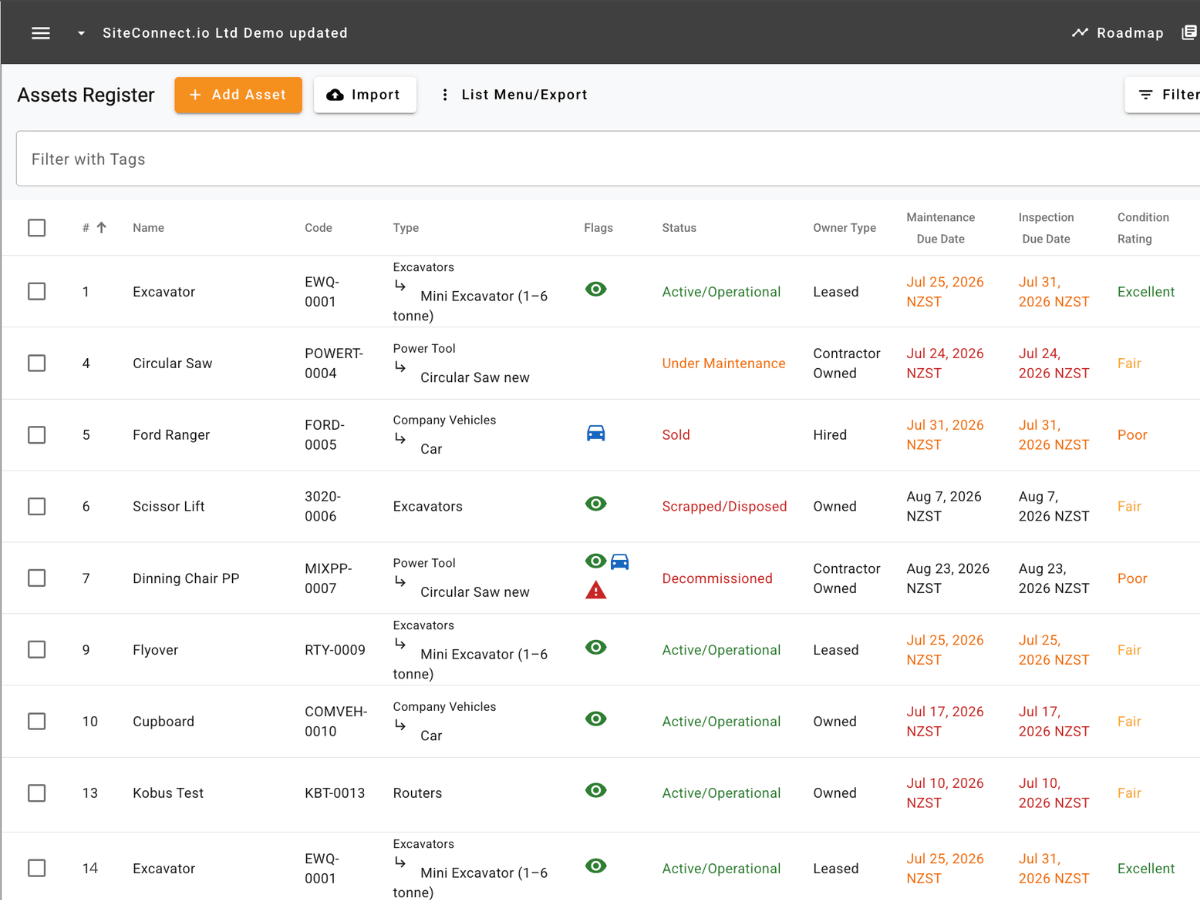
SiteConnect: Your one-stop asset management tool
A digital asset register built for health and safety — register, track, inspect and retire your assets, connected to the safety records you already keep in SiteConnect.
Safety history on every asset
Attach hazards and risks to individual assets, link incidents and safety observations, and raise corrective tasks straight from the asset view — asset compliance for construction with every asset's full safety story in one place, not across five spreadsheets.
Reminders before dates slip
Equipment maintenance tracking that emails you as maintenance, inspections, warranties and replacements come due — 30, 14, 7 and 1 day out, with overdue follow-ups until it's actioned. Each reminder type has its own recipients, so maintenance goes to the workshop and warranties go to finance.
A QR code on every asset
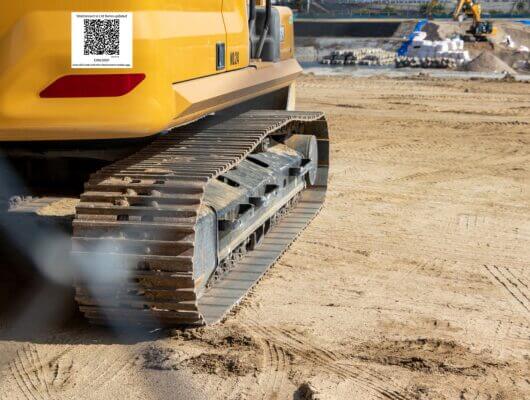
Every asset gets a unique code and a scannable QR label. Anyone on site can scan it to see the asset's name, status, condition and emergency shutdown procedure — no login, and never any cost or owner details. Claim pre-printed codes or regenerate them any time.

The register in your pocket
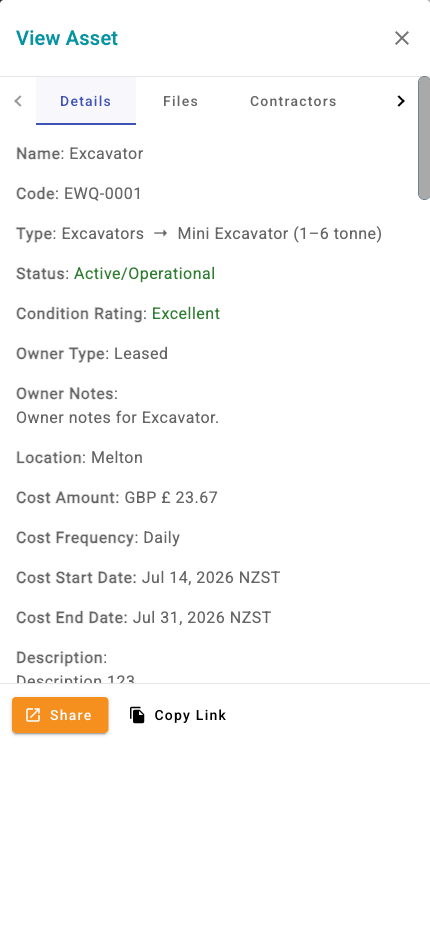
An equipment inspection app in every worker's pocket. Field crews browse the assets on their site — from forklifts to fleet vehicles — check details, files, hazards and tasks, and update the assets they manage, from the same app they already use for sign-in and toolbox talks.
Bulk import and export
Bring your whole register across from a spreadsheet in minutes — only a name and asset type are required, and missing types are created automatically. Export a filtered snapshot to CSV, XLSX or PDF whenever an auditor asks.
Make asset compliance easy with the right tool
We'll show you exactly how SiteConnect tracks your assets from purchase to retirement, and keeps you compliant at every step.
The register in action — add an asset and watch it get a unique code and QR label automatically.
Linked safety history — hazards, incidents, observations and tasks on a single asset view.
Reminder emails — set a maintenance date and see exactly who gets notified, and when.
CSV import — bring a hundred assets across from a spreadsheet in minutes.
The mobile view — how field crews find, check and update assets on site.
Rated 4.7 stars by health & safety professionals
Everything in one place
"Our plant list, inspection dates and hazards used to live in three different spreadsheets. Now it is one register everyone can see."
No more missed inspections
"The reminder emails alone are worth it. Nothing goes overdue without the whole team knowing about it first."
QR codes the crew actually uses
"The boys scan the code on the digger and get the shutdown procedure straight away. Simple as that."
Trusted by 500+ construction companies across New Zealand
Part of a complete site safety platform
Asset management is one module you access within SiteConnect's platform. You also get:
Get a free, live demo
Tour SiteConnect in less than 30 minutes
See the features, ask about case studies, and verify everything you've read here today. If you decide to put SiteConnect to the test, here's what's available for you.
There's no risk or obligation · No dramas · No gimmicks
Free 15-day trial to test with your actual crews on your actual sites.
Implementation support to get you up and running fast.
Training sessions for your team (though honestly, they won't need much).
Direct access to support — the team that answers in 15–20 minutes.
Frequently asked questions
Is asset management a separate product?
No — it's a module within SiteConnect's all-in-one platform. Your assets sit alongside your hazard registers, incidents, inductions and toolbox talks, so everything links together. If you already use SiteConnect, it's ready to go in your account.
Can I import my existing asset register?
Yes. Download the CSV template, fill in your rows and upload — only a name and asset type are required for each asset. Asset types that do not exist yet are created automatically, and you get an email with the import results.
Do workers need a licence to scan an asset QR code?
No. Scanning a QR code opens a public, read-only details page with no login needed. It shows safe identifying information only — never cost, owner or other sensitive details.
What reminders can SiteConnect send?
Four separate email reminders: maintenance due, inspection due, warranty expiring and expected replacement. Each sends 30, 14, 7 and 1 day before the date (maintenance and inspection also follow up when overdue), and each has its own recipients.
How do I manage plant and equipment safety in NZ?
Under HSWA, a PCBU must ensure plant is safe, maintained and inspected. In practice that means a current register of every item of plant, recorded condition and inspection dates, controlled hazards, and acting before maintenance falls overdue. SiteConnect gives you all of that in one digital asset register, with reminders and a linked safety history doing the chasing for you.
Does SiteConnect help with WorkSafe NZ plant safety requirements?
It helps you keep the records WorkSafe expects to see: which plant you have, its condition, when it was last inspected, what hazards sit against it and what you did about them. When an inspector asks, you export the register — you don't dig through a filing cabinet.

