

Incident reporting software that takes you from report to resolution
Report incidents and near misses from any phone in under two minutes, then investigate, assign actions and stay ready for WorkSafe notification, all in one place
Start your free trial Book a demo14 day free trial. Trusted by high-risk teams across New Zealand.
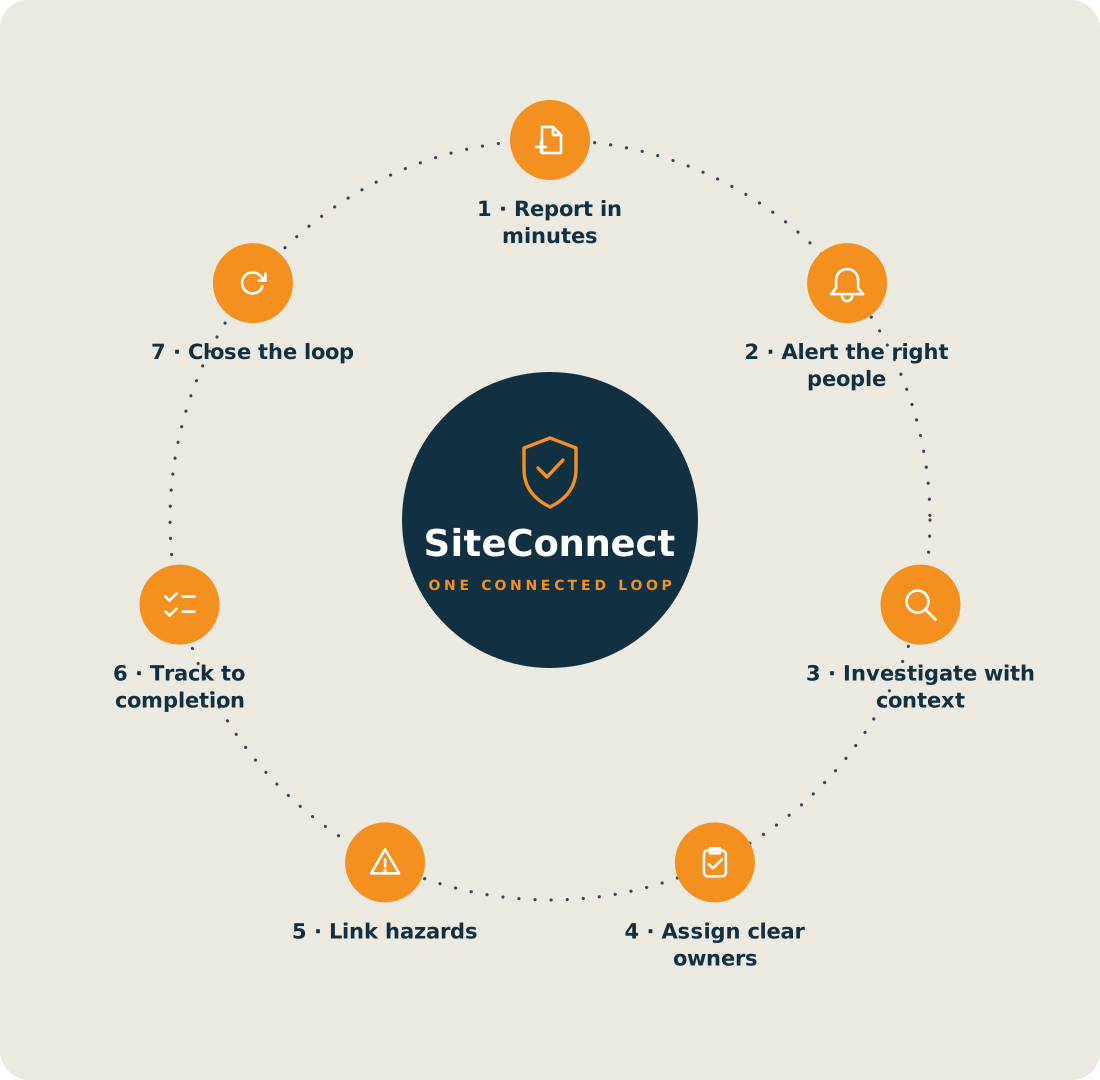
Incident reporting shouldn't be the second incident of the day
If your current process involves carbon-copy pads, a scanner that's been "broken" since 2023 and a spreadsheet only one person understands, you're not alone. Here's what we hear from NZ safety teams every week.
The form lives in a ute
Paper incident forms get soggy, lost or filed in a glovebox. By the time they reach the office, the details are fuzzy and the photos never existed.
You find out days later
An incident on Tuesday reaches the safety manager on Friday. That's three days of the same hazard sitting on site, and a WorkSafe notification you didn't know needed to go out straight away.
Near misses go unreported
Workers won't fill in a 4-page form for something that "almost" happened. So the warning signs that predict serious incidents never make it into your data.
No patterns, no prevention
When records live in filing cabinets and inboxes, you can't spot that the same ladder, task or site keeps coming up. Every incident feels like a surprise.
Sources: WorkSafe New Zealand and the Health and Safety at Work Act 2015 (ss 23-25, 56, 57).
From "it happened" to "it's handled" in minutes
SiteConnect's incident reporting software connects what happens on site to the people who need to know, the moment it happens, then manages the incident through to closure. Here's how.
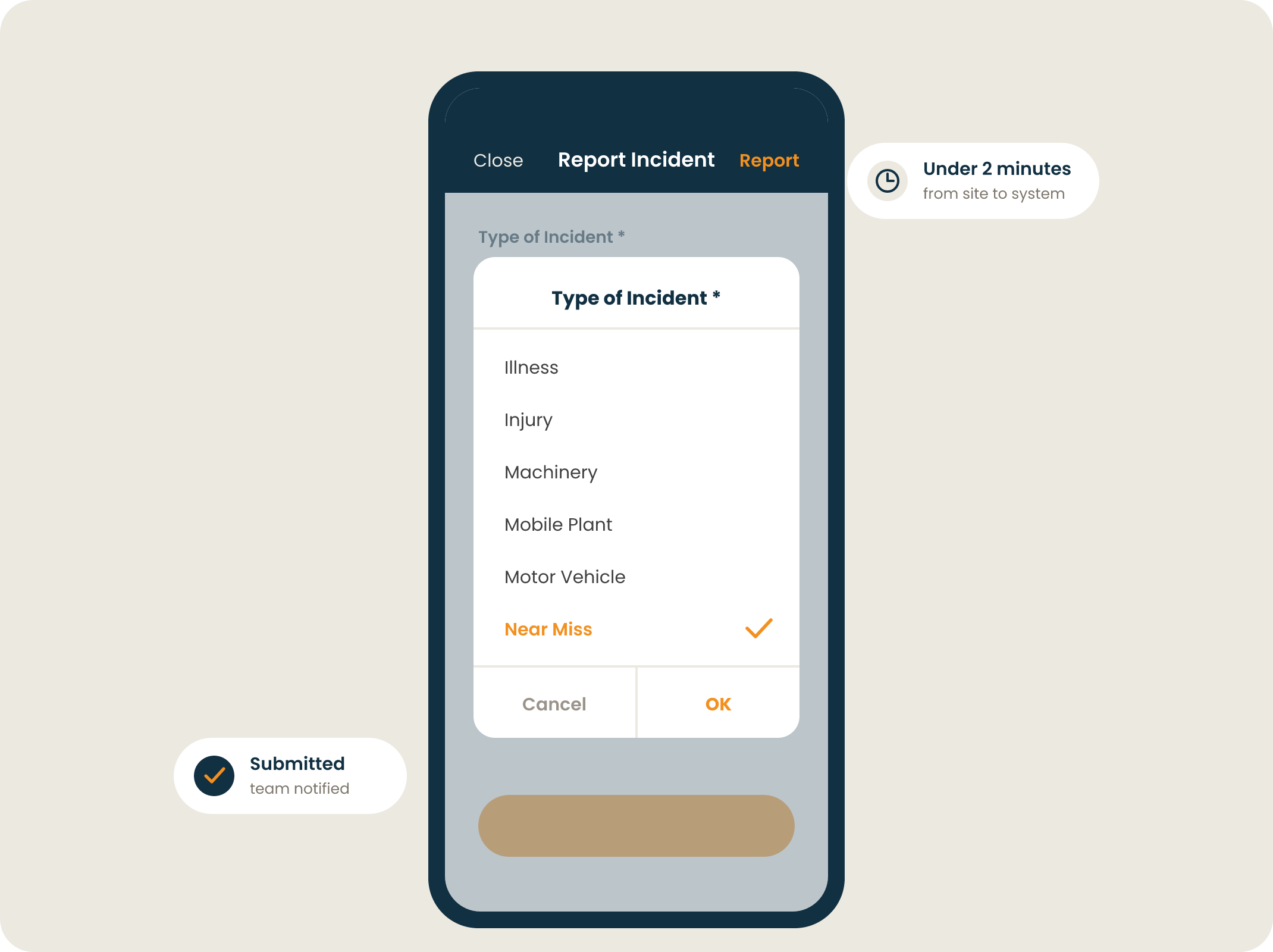
Report from any device, anywhere on site
Workers tap the "+" button, describe what happened, snap photos and submit. No paperwork, no trip back to the site office, no "I'll do it later" that becomes never.
- Log incidents, injuries and near misses in under two minutes
- Attach photos and files straight from a phone
- Simple enough that near misses actually get reported
The right people know, instantly
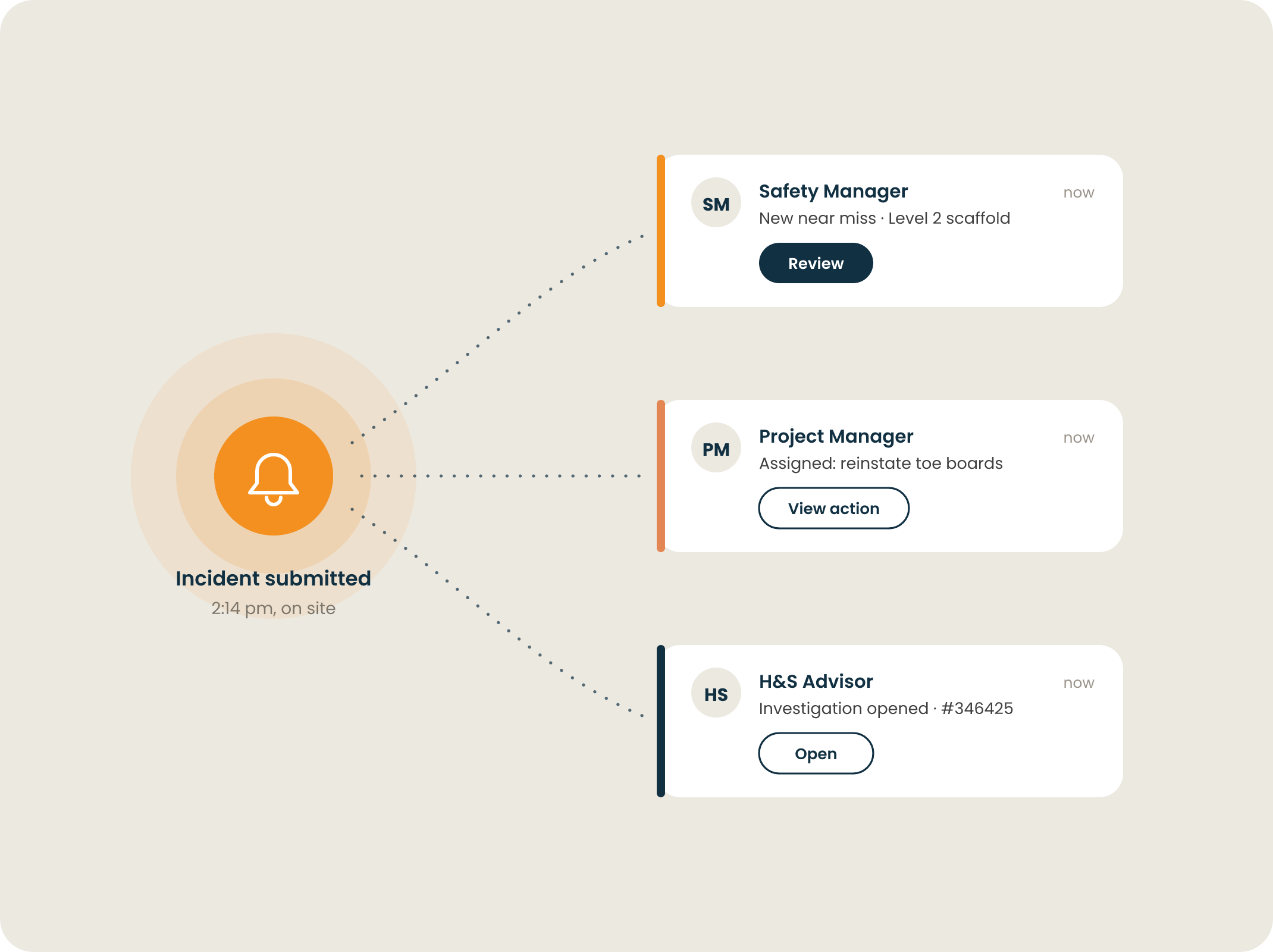
The moment an incident is submitted, SiteConnect notifies the managers and team members who need to act. No phone tag, no forwarded emails, no finding out on Friday about Tuesday.
- Instant notifications to the right managers automatically
- Real-time visibility for your admin and safety teams
- Respond while the details are fresh and the hazard is still fixable
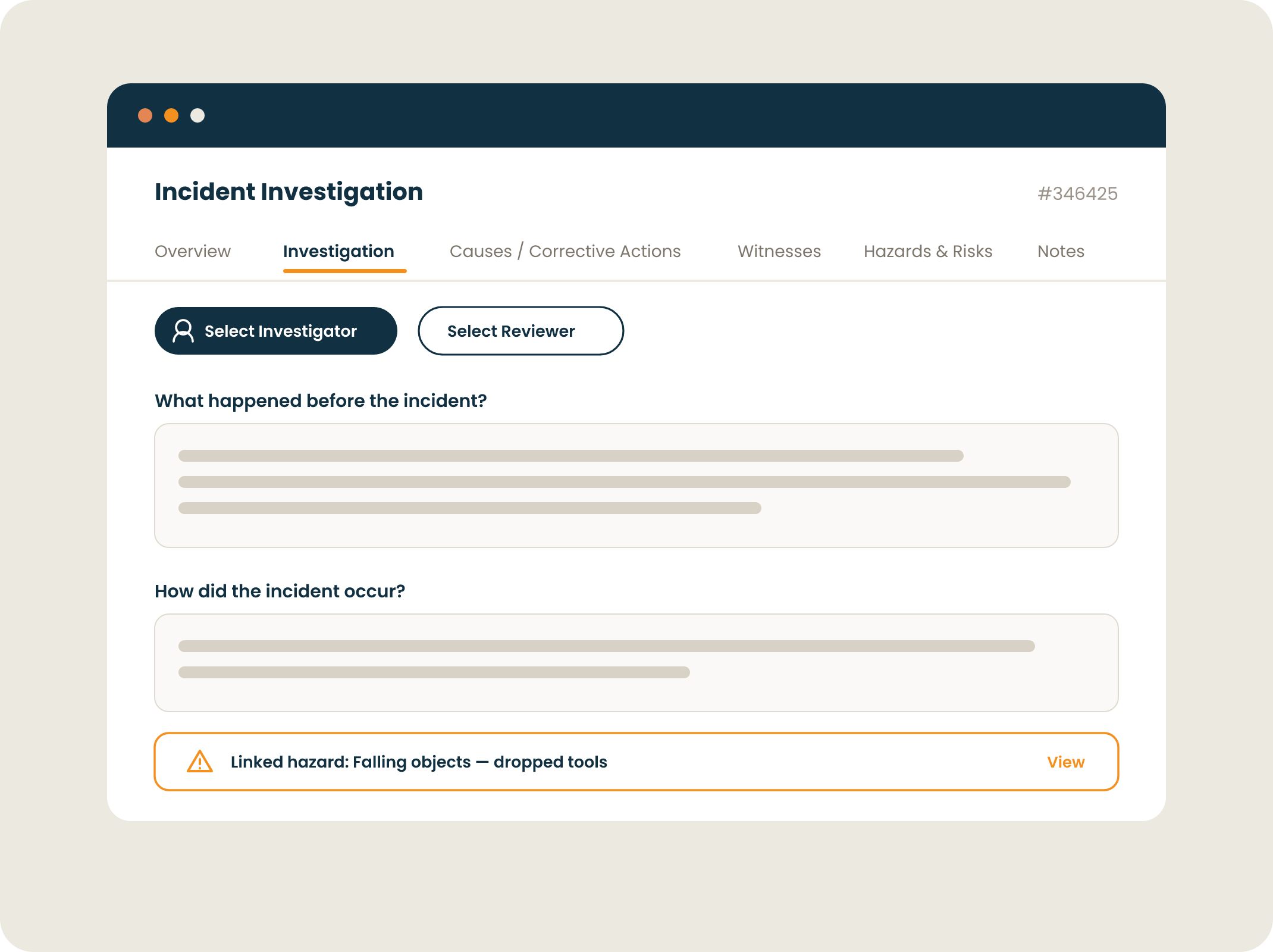
Investigate properly, not from memory
Run structured investigations linked directly to the incident record. Identify root causes, connect associated risks from your risk register, and turn findings into assigned corrective actions with owners and due dates.
- Structured investigation workflows built in
- Link incidents to risks and root causes
- Assign corrective actions and track them to completion
Spot the pattern before it becomes a headline
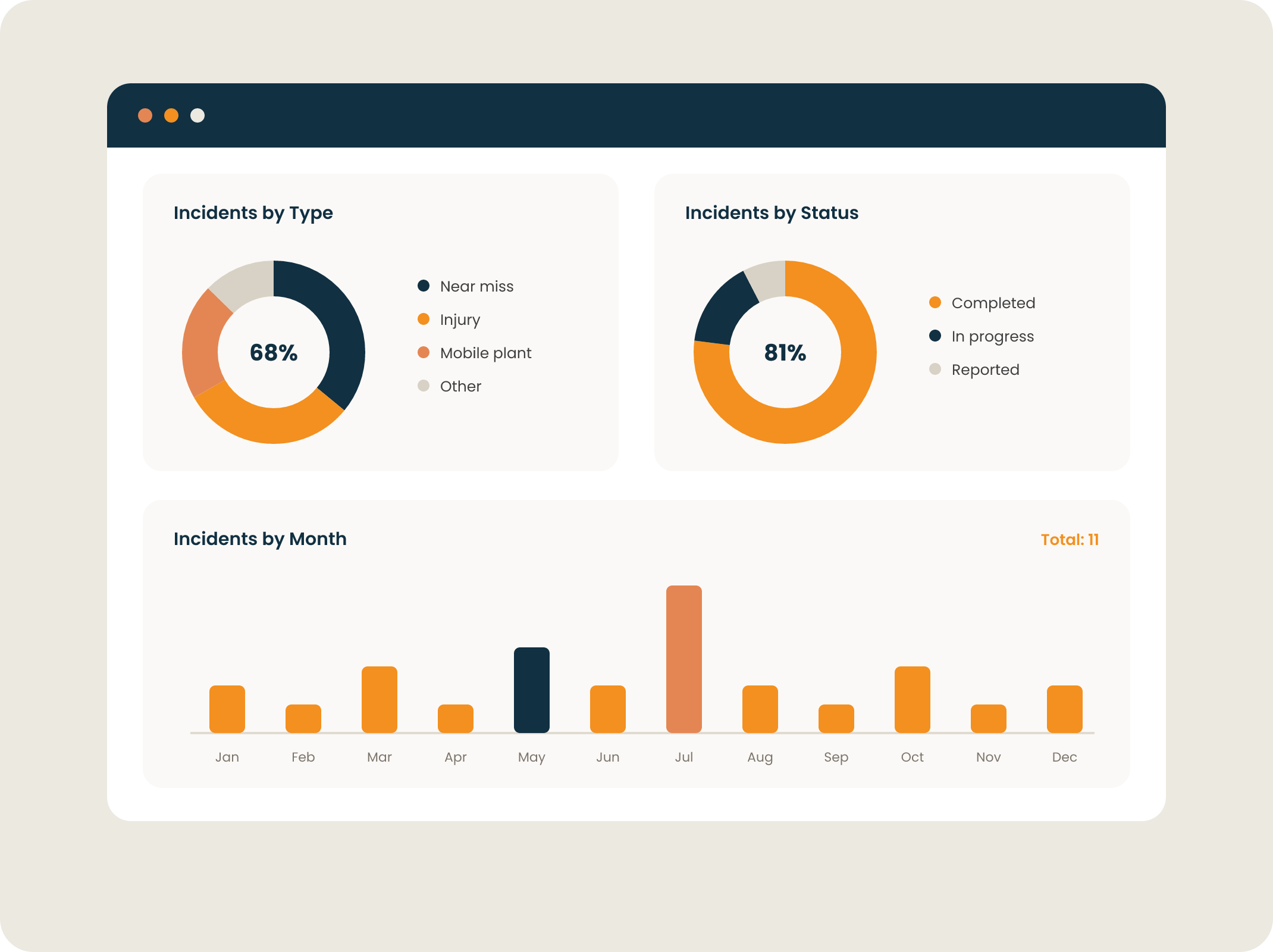
Dashboards and charts show incidents by type, site, severity and trend over time. When the same task or location keeps appearing, you'll see it, and you can act before the near miss becomes a notifiable event.
- Incident dashboards by type, site and severity
- Trend analysis across your whole business
- Standardised reporting that unlocks real data
Audit-ready evidence in one click
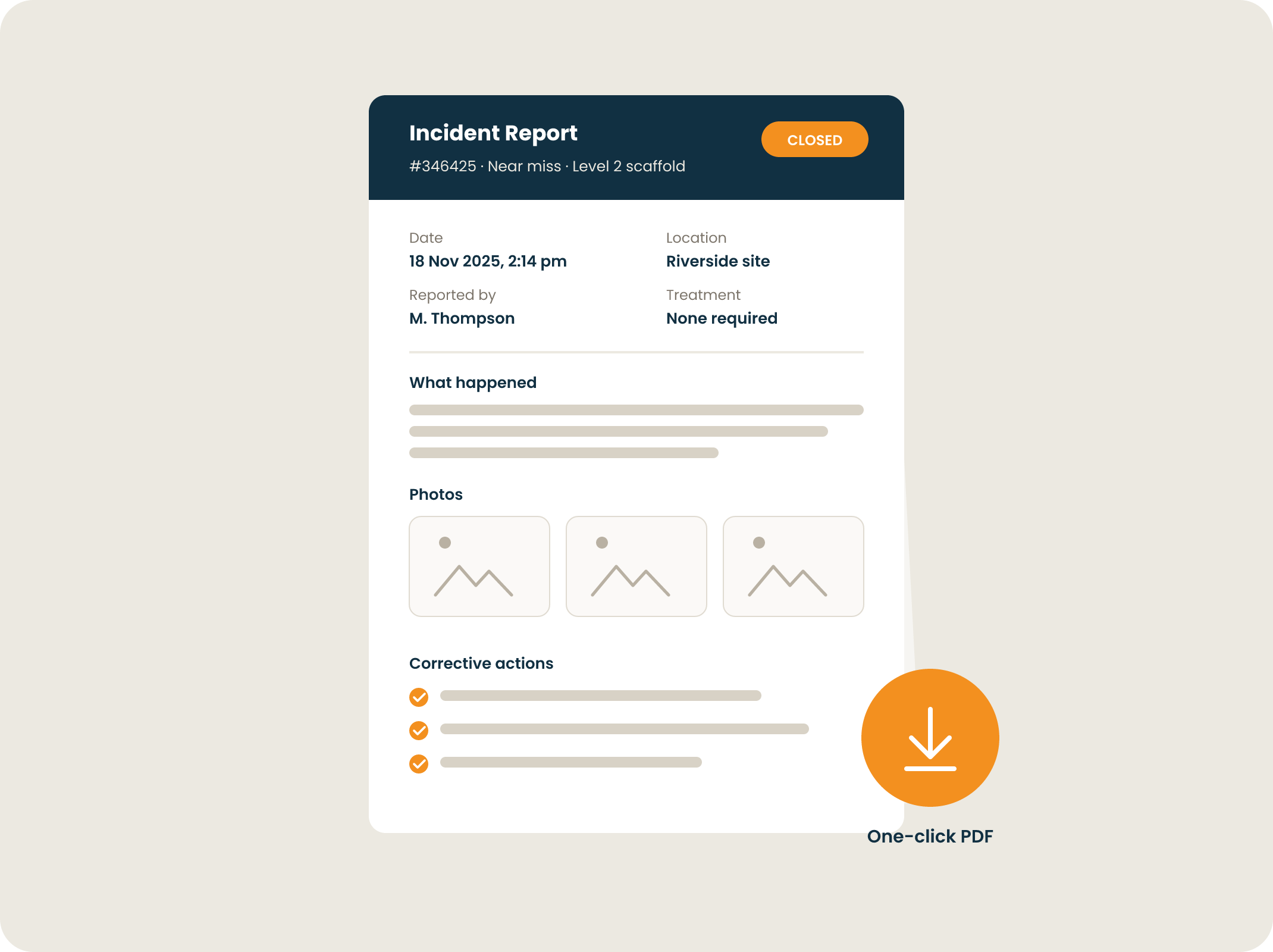
SiteConnect pulls every attached photo, action, risk and cause into a single professional PDF. When a client, auditor or WorkSafe inspector asks for your records, you're the person who has them in thirty seconds, not the person booking annual leave.
- Professional PDF exports of any incident
- Complete, organised, time-stamped records
- Always audit ready, always defensible
Built for teams who answer to WorkSafe
Under the Health and Safety at Work Act 2015, PCBUs must notify WorkSafe as soon as possible after becoming aware of a notifiable event, a death, a notifiable injury or illness, or a notifiable incident, and keep a record of it for at least five years. There's no grace period like a fixed reporting window, so the clock starts the moment it happens.
SiteConnect captures every detail a PCBU needs to make an accurate, on-time notification, and keeps a complete, time-stamped record long after the paperwork would have gone missing.
See it in actionEvery detail, from day one
Date, time, location, people involved, injury type, treatment and photos are all captured at the point of reporting, so your WorkSafe notification is accurate, not reconstructed.
Report the moment it happens
Because incidents reach your safety team the moment they happen, you can notify WorkSafe as soon as possible exactly as HSWA requires, not whenever the paper form happens to surface.
Five-year retention, sorted
HSWA requires records of each notifiable event to be kept for at least five years. Digital records don't fade, flood or disappear when someone leaves the business.
Notifiable incidents too
Notifiable events aren't just injuries or deaths. Notifiable incidents, serious near misses, need reporting too. Capture them with the same two-minute process, so nothing reportable slips through.
Frequently Asked Questions
Everything NZ safety teams ask us about incident reporting software, answered straight.
What is incident reporting software?
Incident reporting software is a digital tool that lets workers record workplace incidents, injuries and near misses the moment they happen, usually from a mobile app, instead of on paper forms. Good incident reporting software then handles what comes next: notifying the right managers, supporting investigations, assigning corrective actions and keeping a complete record for compliance. SiteConnect does all of this in one platform, so nothing gets lost between the incident and its resolution.
Is there a mobile app for reporting incidents on-site?
Yes, SiteConnect has a mobile app built specifically for reporting incidents on the go. Whether you're on-site or off, workers can quickly log an incident or near miss straight from their phone. It's as simple as tapping the "+" button, adding the details, and uploading any relevant photos or files. No paperwork, no delays, just instant visibility.
How will this software improve safety compared to traditional reporting methods?
Compared to the old-school way of filling out forms or chasing paper trails, SiteConnect's digital platform is a massive upgrade. Incidents are reported in real-time, which means your team can respond faster, spot trends sooner, and take action before small issues become serious problems. It's not just about ticking boxes, it's about creating a safer, more proactive safety culture.
Is the software suitable for our industry and the types of incidents we encounter?
Most likely, yes. SiteConnect is designed to work across a range of high-risk industries like construction, manufacturing, logistics, engineering, and property management. The platform is flexible and can be tailored to match the specific types of incidents and safety risks your team deals with on a daily basis.
How easy is it for employees to learn and use the system?
Very easy. SiteConnect is built with field teams in mind, so the mobile app is intuitive and simple to navigate, even for those who aren't tech-savvy. There are helpful onboarding guides and training videos to get everyone up to speed quickly, and our support team is always there if you need a hand.
How long does it take to set up and start using the software?
Not long at all. Once the app is installed, most teams can be up and running in no time. The setup process is straightforward, and we provide onboarding resources to help you get going smoothly. Whether you're rolling it out to a small crew or a national team, SiteConnect scales with your needs.
Does SiteConnect help with WorkSafe notifications?
Yes. While notifications are submitted to WorkSafe by the PCBU, SiteConnect makes sure they have everything they need to do it accurately and as soon as possible, exactly as HSWA requires. Every incident record captures the who, what, where, when and how, plus photos and treatment details, the moment it happens. Records are stored digitally well beyond the five-year retention HSWA requires, so you're covered if WorkSafe ever comes knocking.
Can workers report near misses as well as incidents?
Absolutely, and they should. Near misses are the early warning system of workplace safety, and under HSWA some serious near misses count as notifiable incidents in their own right, even though no one was hurt. Because reporting one in SiteConnect takes a couple of minutes on a phone rather than a paper form, teams actually do it, which means you build the data to prevent the serious incident that was coming next.
Can we track corrective actions after an incident?
Yes. Every incident in SiteConnect can generate corrective actions with an assigned owner and due date, so the follow-up doesn't die in someone's inbox. You can see at a glance which actions are open, overdue or complete across the whole business, and every closed action becomes part of the incident's permanent record, which is exactly what auditors and inspectors want to see.
Can we export incident records for audits or a WorkSafe investigation?
Yes, in one click. SiteConnect pulls together everything attached to an incident, including photos, actions, risks, causes and investigation findings, into a single professional PDF. When an auditor, client or WorkSafe inspector asks for your records, you can hand over complete, time-stamped documentation in seconds rather than digging through filing cabinets.
What should a good incident report include?
A solid incident report covers the date, time and exact location, the people involved and any witnesses, a factual description of what happened, the injury or damage and any treatment given, photos of the scene, and the immediate actions taken. SiteConnect's templates prompt for all of this at the point of reporting, so reports are complete and consistent whether they're filed by your safety manager or a first-week labourer.
Is our incident data secure and Privacy Act compliant?
Yes. Incident records often contain personal and medical information, so we take security seriously. SiteConnect handles data in line with the Privacy Act 2020, with role-based access so sensitive details are only visible to the people who need them. You can review our security practices, policies and certifications in the SiteConnect Trust Centre.
Part of a complete site safety platform
There are more safety & compliance features on SiteConnect. You also get:
Ready to take control of incident reporting?
See how SiteConnect turns incident reporting into a two-minute job, with complete records, clear follow-up and full visibility across every site.
Start now for free Book a demo14 day free trial available. No credit card needed.

